

- Gallons
- 230,310
John Deere 458 Standard Round Baler Operators Manual OMFH310752
- Download this document, you need 500 Gallons
John Deere 458 Standard Round Baler Operators Manual OMFH310752
Size: 19.5 MB
Format: HTML
Language: English
Brand: John Deere
Type of Machine: Standard Round Baler
Type of Manual: Operators Manual
Model: John Deere 458 Standard Round Baler
Parts Number: OMFH310752
Contents:
Foreword
Dealer's Record
Predelivery
Delivery
After-Sale
Section : 05 - Safety
Recognize Safety Information
Understand Signal Words
Follow Safety Instructions
Spanish Safety Signs and Operator's Manual
Protect Bystanders
Operate Baler Safely
Operate Safely on Slopes
Handle Round Bales Safely
Prepare For Emergencies
Fire Prevention
In Case of Fire
Wear Protective Clothing
Handle Agricultural Chemicals Safely
Stay Clear of Rotating Drivelines
Use Safety Lights and Devices
Use a Safety Chain
Tow Loads Safely
Practice Safe Maintenance
Remove Paint Before Welding or Heating
Avoid Heating Near Pressurized Fluid Lines
Avoid High-Pressure Fluids
Dispose of Waste Properly
John Deere Round Baler Safety Features
Section : 10 - Safety Signs
Replace Safety Signs
Safety Signs
Section : 15 - Preparing the Tractor
Selecting Tractor PTO Speed
Adjusting Tractor Drawbar
Tractor Drawbar (Heavy-Duty)
Using Drawbar Shield
Making Drawbar Shield
Three-Point Hitch Position
Adjusting Tractor Wheels
Checking Ballast, Wheel Spacing, and Tire Inflation
Adjusting Tractor Hydraulic Outlets
Tractor Convenience Outlet
Using Right-Hand Rear-View Mirror
Using Extended Rear-View Mirror
Section : 16 - Preparing the Tractor for BaleTrak™ Pro
Installing BaleTrak™ Pro Monitor-Controller on Open-Station Tractor
Installing BaleTrak™ Pro Monitor-Controller in ComfortGard™ Cab
Installing BaleTrak™ Pro Monitor-Controller in SOUND-GARD™ Cab
Section : 20 - Preparing the Baler
Checking Bale Size Switch
Selecting Twine
Loading Twine Box
Routing Twine-Right-Hand Side (Rear Arm)
Routing Twine-Left-Hand Side (Front Arm)
Adjusting Twine Spacing-Manual Hydraulic Tie
Checking Wheel Nut Torque
Tire Inflation Pressures
Section : 25 - Attaching and Detaching
Assembling Main PTO Driveline Telescoping Members (If Necessary)
Attaching Baler to Tractor Drawbar
Connecting PTO Driveline
Attaching to Tractor Hydraulic System
Using Tractor Convenience Outlet
Installing Bale Size Alarm - Manual Hydraulic Tie
Connecting Baler Wiring Harness to Tractor-BaleTrak™ Pro System
Connecting Tail/Warning Light Plug to Tractor
Detaching Baler From Tractor
Section : 30 - Transporting
Preparing Baler for Transport
Follow Safe Transport Procedures
Lighting Enhancement Module Operation
Using Extended Rear-View Mirror
Section : 40 - Operating the Baler
How the Baler Forms a Bale
Handling Round Bales
Crop Preparation
Breaking-In Baler
Indicators For Baler Operation
Normal Baling Operation
Recommended Baling Guidelines
Feeding Round Bales
Interpreting Bale Shape Indicators
Weaving in the Windrow
Adjusting Audible Bale Size Alarm Volume - Manual Hydraulic Tie
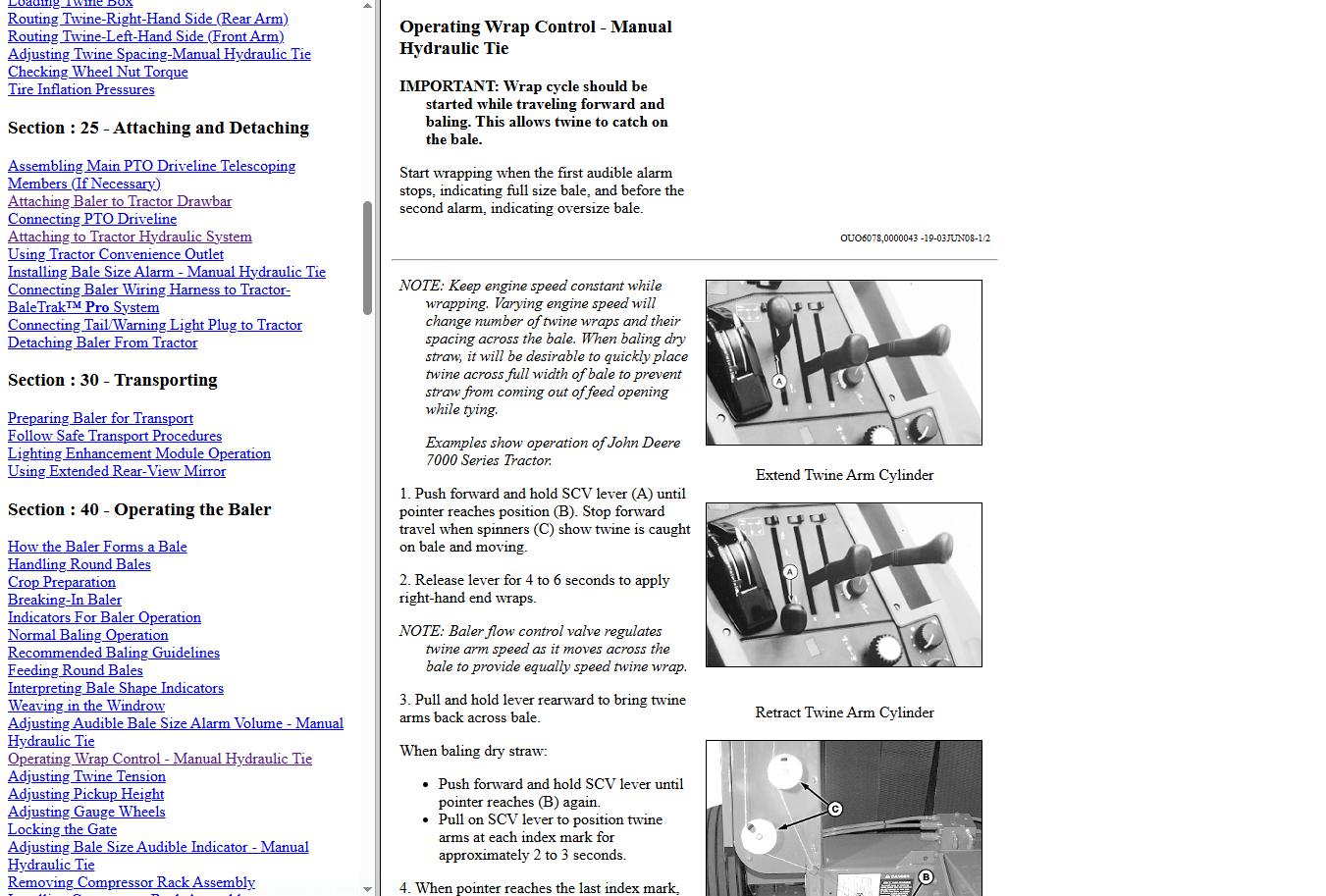
Operating Wrap Control - Manual Hydraulic Tie
Adjusting Twine Tension
Adjusting Pickup Height
Adjusting Gauge Wheels
Locking the Gate
Adjusting Bale Size Audible Indicator - Manual Hydraulic Tie
Removing Compressor Rack Assembly
Installing Compressor Rack Assembly
Adjusting Compressor Rack Assembly
Starting a Bale in Difficult Conditions
Baling Short, Dry, Slick Crops
Baling Cornstalks
Baling Long, Stiff, Cane-Type Crops
Baling Wet Hay
Fire Prevention
Extinguishing a Fire
Section : 41 - Operating with BaleTrak™ Pro System
BaleTrak™ Pro Monitor-Controller System Introduction
BaleTrak™ Pro Monitor-Controller Description
BaleTrak™ Pro Monitor-Controller Keys and Switches
BaleTrak™ Pro Monitor-Controller Displays and Indicators
BaleTrak™ Pro Monitor-Controller Setup Values and Initial Settings
BaleTrak™ Pro Monitor-Controller Customer, Setup, and Diagnostic Modes
BaleTrak™ Pro Monitor-Controller Channels
BaleTrak™ Pro Monitor-Controller Operation
Activating BaleTrak™ Pro Monitor-Controller Alarms
Adjusting Audible Alarm Volume
Setting Bale Diameter
Adjusting Bale Diameter Display
Twine Wrap Terms and Settings
Setting Twine Spacing
Setting Number of Twine End Wraps
Setting Twine End Wrap Distance
Viewing and Resetting Bale Counters
Manual Actuator, Wrap, and Bypass Switches
Using Bypass Switch (Twine Wrap Only)
Resetting BaleTrak™ Pro Monitor-Controller To Initial Settings (Channel 001)
Using Dry Straw Twine Wrap Program (Advanced Operational Information) (Channel 002)
Setting Twine Re-Extension (Advanced Operational Information) (Channel 003)
Setting Cinch Wrap (Advanced Operational Information) (Channel 004)
Adjusting Bale Diameter Sensor (Channel 005)
Monitor-Controller Display, Metric or English Units (Setting) (Channel 008)
Setting Near-Full Indicator Set Point (Channel 010)
Testing Oversize Bale and Gate Closed Switch-Monitor-Controller Assisted Test (Channels 013 and 014)
Testing Twine or Net Wrap Actuator Current (Channel 018)
Testing Tractor Convenience Outlet Voltage (Channel 019)
Testing Liquid Crystal Display (LCD) Panel (Channel 020)
Twine Arm Calibration (Channel 029)
Adjusting Delay of Twine Eject (Advanced Operation Information) (Channel 033)
Changing Baler Model Program (Channel 201)
Twine Feature (Channel 202)
(Turning On and Off)
Section : 45 - Attachments
Hitch Conversion Kit
Pickup Gauge Wheels
Belt Lacing Tool (Lacer Vise)
Skiving Tool
Electrical Outlet Socket
Rear-View Mirror Extension
Right-Hand Rear-View Mirror
Drawbar Shield
Fire Extinguisher
Bale Counter
BaleTrak™ Pro Monitor-Controller (If Equipped)
BaleTrak ™ Pro Monitor-Controller Mounting Brackets
Mounting Kit for Open Station 6000 and 7000 Series Tractors
Section : 50 - Lubrication and Maintenance
Grease
Gear Case Oil
Alternative and Synthetic Lubricants
Observe Lubrication Symbols
Perform Lubrication and Maintenance
Fire Prevention
Belt Pins
Tension Arm Wear Channels
Every 10 Hours
Every 30 Hours
First 50 Hours
Every 100 Hours
Annually
Section : 55 - Troubleshooting
PTO Driveline Difficulties
Drive Chain Difficulties
Gear Case Difficulties
Diagnosing Hydraulic Functions
Twine Wrap Difficulties
Twine Wrap Difficulties - Manual Hydraulic Tie
Twine Wrap Difficulties-Auto-Tie BaleTrak™ Pro System
BaleTrak™ Pro Monitor-Controller Difficulties
Feeding Difficulties
Pickup Difficulties
Bale Quality
General Baler Difficulties
BaleTrak™ Pro Monitor-Controller Error Codes
Section : 60 - Service-Baler
Detailed Service Information
Practice Safe Service Procedures
Fire Prevention
Keep Service Area Clean
Service Tires Safely
Rotating Output Shaft By Hand
Baler Wiring Harness Diagram-Manual Hydraulic Tie
Hydraulic System Diagram
Adjusting Lower Roll Drive Chain
Adjusting Upper Roll Drive Chain
Replacing Drive Roll Bearings or Left-Hand Sprockets
Install Left-Hand Upper Drive Roll Bearing
Install Left-Hand Lower Drive Roll Bearing
Install Right-Hand Drive Roll Bearing
Replacing Main Drive Shear Bolt
Adjusting Initial Length of Pickup Drive Belt Idler Spring
Adjusting Pickup Drive Belt Idler
Adjusting Pickup Float Springs
Checking Pickup Tooth End Play
Adjusting Twine Cutter Tension
Adjusting Clearance Between Cutter Link Support and Twine Arm
Adjusting Twine Arm Distance From Right Sidesheet
Adjusting Front Twine Arm
Adjusting Twine Cutter-to-Twine Arm
Checking and Adjusting Twine Cutter Knife
Adjusting Twine Arm-to-Starter Roll, Cutter Link Support, and Twine Arm Stop
Adjusting Lower Feed Roll Scraper
Adjusting Twine Indicator Retaining Strap
Adjusting Bale Size Indicator
Adjusting Take-Up Arm Compression Spring
Checking Microswitches
Raising Gate With Hoist
Checking Belt Pins
Checking Belt Tracking
Adjusting Belt Tracking
Installing Belts
Repairing Belts
Belts Eligible for Warranty Replacement
Belts Not Eligible for Warranty Replacement
Adjusting Hydraulic Twine Arm Cylinder Initial Length - Manual Hydraulic Tie
Installing Hydraulic Twine Arm Cylinder - Manual Hydraulic Tie
Adjusting Bale Size Switch - Manual Hydraulic Tie
Adjusting Bale Size Link for Maximum Bale Size - Manual Hydraulic Tie
Adjusting Bale Shape Indicators
Section : 61 - Service-BaleTrak™ Pro System
BaleTrak™ Pro System Component Locations
Wiring Diagram-BaleTrak™ Pro Monitor-Controller Control System
Wiring Harness Diagram-BaleTrak™ Pro Monitor-Controller
Wiring Harness Diagram-Baler
Adjusting Twine Arm Distance From Right Sidesheet-BaleTrak™ Pro
Twine Electric Actuator Installation Adjustment
Adjusting Twine Cutter Tension (Electric)
Replacing Bale Diameter Sensor
Replacing Gate Close Switch
Replacing Oversize Bale Switch
Replacing and Adjusting Bale Diameter Sensor Mounting Bracket
Adjusting Bale Diameter Sensor (Channel 005)
Testing Gate Close and Oversize Bale Switches-Monitor-Controller Assisted Test (Channels 013 and 014)
Testing Twine Wrap Actuator Current (Channel 018)
Testing Tractor Convenience Outlet Voltage (Channel 019)
Testing Liquid Crystal Display (LCD) Panel (Channel 020)
Adjusting Oversize Bale Switch
Adjusting Bale Size Link For Maximum Bale Size (Oversize Warning)
Adjusting Gate Close Switch
Twine Arm Calibration Procedure (Channel 029)
Adjusting Clearance Between Cutter Link Support and Twine Arm
Adjusting Front Twine Arm
Adjusting Twine Cutter-to-Twine Arm
Checking and Adjusting Twine Cutter Knife
Adjusting Twine Arm-to-Starter Roll, Cutter Link Support, and Twine Arm Stop
Section : 65 - Storage
End of Season
Removing Baler from Storage (Beginning of Season)
Section : 70 - Assembly
Perform Predelivery Service Safely
Check Wheel Nut Torque
Check Tire Inflation Pressures
Install Jack
Install PTO Driveline
Install Safety Chain
Install Slow Moving Vehicle (SMV) Sign in Operating Position
Install Bale Counter (Optional)
Install Fire Extinguisher
Section : 75 - Specifications
458 Standard Round Baler Specifications1
BaleTrak™ Pro Monitor-Controller Specifications
Tractor Compatibility
Machine Weights
Keep Machines Secure
Keep Proof of Ownership
Record Baler Serial Number
Metric Bolt and Screw Torque Values
Unified Inch Bolt and Screw Torque Values
Roll Hardware Decal
Section : IBC - John Deere Service Keeps You On The Job
John Deere Parts
The Right Tools
Well-Trained Technicians
Prompt Service


Size: 19.5 MB
Format: HTML
Language: English
Brand: John Deere
Type of Machine: Standard Round Baler
Type of Manual: Operators Manual
Model: John Deere 458 Standard Round Baler
Parts Number: OMFH310752
Contents:
Foreword
Dealer's Record
Predelivery
Delivery
After-Sale
Section : 05 - Safety
Recognize Safety Information
Understand Signal Words
Follow Safety Instructions
Spanish Safety Signs and Operator's Manual
Protect Bystanders
Operate Baler Safely
Operate Safely on Slopes
Handle Round Bales Safely
Prepare For Emergencies
Fire Prevention
In Case of Fire
Wear Protective Clothing
Handle Agricultural Chemicals Safely
Stay Clear of Rotating Drivelines
Use Safety Lights and Devices
Use a Safety Chain
Tow Loads Safely
Practice Safe Maintenance
Remove Paint Before Welding or Heating
Avoid Heating Near Pressurized Fluid Lines
Avoid High-Pressure Fluids
Dispose of Waste Properly
John Deere Round Baler Safety Features
Section : 10 - Safety Signs
Replace Safety Signs
Safety Signs
Section : 15 - Preparing the Tractor
Selecting Tractor PTO Speed
Adjusting Tractor Drawbar
Tractor Drawbar (Heavy-Duty)
Using Drawbar Shield
Making Drawbar Shield
Three-Point Hitch Position
Adjusting Tractor Wheels
Checking Ballast, Wheel Spacing, and Tire Inflation
Adjusting Tractor Hydraulic Outlets
Tractor Convenience Outlet
Using Right-Hand Rear-View Mirror
Using Extended Rear-View Mirror
Section : 16 - Preparing the Tractor for BaleTrak™ Pro
Installing BaleTrak™ Pro Monitor-Controller on Open-Station Tractor
Installing BaleTrak™ Pro Monitor-Controller in ComfortGard™ Cab
Installing BaleTrak™ Pro Monitor-Controller in SOUND-GARD™ Cab
Section : 20 - Preparing the Baler
Checking Bale Size Switch
Selecting Twine
Loading Twine Box
Routing Twine-Right-Hand Side (Rear Arm)
Routing Twine-Left-Hand Side (Front Arm)
Adjusting Twine Spacing-Manual Hydraulic Tie
Checking Wheel Nut Torque
Tire Inflation Pressures
Section : 25 - Attaching and Detaching
Assembling Main PTO Driveline Telescoping Members (If Necessary)
Attaching Baler to Tractor Drawbar
Connecting PTO Driveline
Attaching to Tractor Hydraulic System
Using Tractor Convenience Outlet
Installing Bale Size Alarm - Manual Hydraulic Tie
Connecting Baler Wiring Harness to Tractor-BaleTrak™ Pro System
Connecting Tail/Warning Light Plug to Tractor
Detaching Baler From Tractor
Section : 30 - Transporting
Preparing Baler for Transport
Follow Safe Transport Procedures
Lighting Enhancement Module Operation
Using Extended Rear-View Mirror
Section : 40 - Operating the Baler
How the Baler Forms a Bale
Handling Round Bales
Crop Preparation
Breaking-In Baler
Indicators For Baler Operation
Normal Baling Operation
Recommended Baling Guidelines
Feeding Round Bales
Interpreting Bale Shape Indicators
Weaving in the Windrow
Adjusting Audible Bale Size Alarm Volume - Manual Hydraulic Tie
Operating Wrap Control - Manual Hydraulic Tie
Adjusting Twine Tension
Adjusting Pickup Height
Adjusting Gauge Wheels
Locking the Gate
Adjusting Bale Size Audible Indicator - Manual Hydraulic Tie
Removing Compressor Rack Assembly
Installing Compressor Rack Assembly
Adjusting Compressor Rack Assembly
Starting a Bale in Difficult Conditions
Baling Short, Dry, Slick Crops
Baling Cornstalks
Baling Long, Stiff, Cane-Type Crops
Baling Wet Hay
Fire Prevention
Extinguishing a Fire
Section : 41 - Operating with BaleTrak™ Pro System
BaleTrak™ Pro Monitor-Controller System Introduction
BaleTrak™ Pro Monitor-Controller Description
BaleTrak™ Pro Monitor-Controller Keys and Switches
BaleTrak™ Pro Monitor-Controller Displays and Indicators
BaleTrak™ Pro Monitor-Controller Setup Values and Initial Settings
BaleTrak™ Pro Monitor-Controller Customer, Setup, and Diagnostic Modes
BaleTrak™ Pro Monitor-Controller Channels
BaleTrak™ Pro Monitor-Controller Operation
Activating BaleTrak™ Pro Monitor-Controller Alarms
Adjusting Audible Alarm Volume
Setting Bale Diameter
Adjusting Bale Diameter Display
Twine Wrap Terms and Settings
Setting Twine Spacing
Setting Number of Twine End Wraps
Setting Twine End Wrap Distance
Viewing and Resetting Bale Counters
Manual Actuator, Wrap, and Bypass Switches
Using Bypass Switch (Twine Wrap Only)
Resetting BaleTrak™ Pro Monitor-Controller To Initial Settings (Channel 001)
Using Dry Straw Twine Wrap Program (Advanced Operational Information) (Channel 002)
Setting Twine Re-Extension (Advanced Operational Information) (Channel 003)
Setting Cinch Wrap (Advanced Operational Information) (Channel 004)
Adjusting Bale Diameter Sensor (Channel 005)
Monitor-Controller Display, Metric or English Units (Setting) (Channel 008)
Setting Near-Full Indicator Set Point (Channel 010)
Testing Oversize Bale and Gate Closed Switch-Monitor-Controller Assisted Test (Channels 013 and 014)
Testing Twine or Net Wrap Actuator Current (Channel 018)
Testing Tractor Convenience Outlet Voltage (Channel 019)
Testing Liquid Crystal Display (LCD) Panel (Channel 020)
Twine Arm Calibration (Channel 029)
Adjusting Delay of Twine Eject (Advanced Operation Information) (Channel 033)
Changing Baler Model Program (Channel 201)
Twine Feature (Channel 202)
(Turning On and Off)
Section : 45 - Attachments
Hitch Conversion Kit
Pickup Gauge Wheels
Belt Lacing Tool (Lacer Vise)
Skiving Tool
Electrical Outlet Socket
Rear-View Mirror Extension
Right-Hand Rear-View Mirror
Drawbar Shield
Fire Extinguisher
Bale Counter
BaleTrak™ Pro Monitor-Controller (If Equipped)
BaleTrak ™ Pro Monitor-Controller Mounting Brackets
Mounting Kit for Open Station 6000 and 7000 Series Tractors
Section : 50 - Lubrication and Maintenance
Grease
Gear Case Oil
Alternative and Synthetic Lubricants
Observe Lubrication Symbols
Perform Lubrication and Maintenance
Fire Prevention
Belt Pins
Tension Arm Wear Channels
Every 10 Hours
Every 30 Hours
First 50 Hours
Every 100 Hours
Annually
Section : 55 - Troubleshooting
PTO Driveline Difficulties
Drive Chain Difficulties
Gear Case Difficulties
Diagnosing Hydraulic Functions
Twine Wrap Difficulties
Twine Wrap Difficulties - Manual Hydraulic Tie
Twine Wrap Difficulties-Auto-Tie BaleTrak™ Pro System
BaleTrak™ Pro Monitor-Controller Difficulties
Feeding Difficulties
Pickup Difficulties
Bale Quality
General Baler Difficulties
BaleTrak™ Pro Monitor-Controller Error Codes
Section : 60 - Service-Baler
Detailed Service Information
Practice Safe Service Procedures
Fire Prevention
Keep Service Area Clean
Service Tires Safely
Rotating Output Shaft By Hand
Baler Wiring Harness Diagram-Manual Hydraulic Tie
Hydraulic System Diagram
Adjusting Lower Roll Drive Chain
Adjusting Upper Roll Drive Chain
Replacing Drive Roll Bearings or Left-Hand Sprockets
Install Left-Hand Upper Drive Roll Bearing
Install Left-Hand Lower Drive Roll Bearing
Install Right-Hand Drive Roll Bearing
Replacing Main Drive Shear Bolt
Adjusting Initial Length of Pickup Drive Belt Idler Spring
Adjusting Pickup Drive Belt Idler
Adjusting Pickup Float Springs
Checking Pickup Tooth End Play
Adjusting Twine Cutter Tension
Adjusting Clearance Between Cutter Link Support and Twine Arm
Adjusting Twine Arm Distance From Right Sidesheet
Adjusting Front Twine Arm
Adjusting Twine Cutter-to-Twine Arm
Checking and Adjusting Twine Cutter Knife
Adjusting Twine Arm-to-Starter Roll, Cutter Link Support, and Twine Arm Stop
Adjusting Lower Feed Roll Scraper
Adjusting Twine Indicator Retaining Strap
Adjusting Bale Size Indicator
Adjusting Take-Up Arm Compression Spring
Checking Microswitches
Raising Gate With Hoist
Checking Belt Pins
Checking Belt Tracking
Adjusting Belt Tracking
Installing Belts
Repairing Belts
Belts Eligible for Warranty Replacement
Belts Not Eligible for Warranty Replacement
Adjusting Hydraulic Twine Arm Cylinder Initial Length - Manual Hydraulic Tie
Installing Hydraulic Twine Arm Cylinder - Manual Hydraulic Tie
Adjusting Bale Size Switch - Manual Hydraulic Tie
Adjusting Bale Size Link for Maximum Bale Size - Manual Hydraulic Tie
Adjusting Bale Shape Indicators
Section : 61 - Service-BaleTrak™ Pro System
BaleTrak™ Pro System Component Locations
Wiring Diagram-BaleTrak™ Pro Monitor-Controller Control System
Wiring Harness Diagram-BaleTrak™ Pro Monitor-Controller
Wiring Harness Diagram-Baler
Adjusting Twine Arm Distance From Right Sidesheet-BaleTrak™ Pro
Twine Electric Actuator Installation Adjustment
Adjusting Twine Cutter Tension (Electric)
Replacing Bale Diameter Sensor
Replacing Gate Close Switch
Replacing Oversize Bale Switch
Replacing and Adjusting Bale Diameter Sensor Mounting Bracket
Adjusting Bale Diameter Sensor (Channel 005)
Testing Gate Close and Oversize Bale Switches-Monitor-Controller Assisted Test (Channels 013 and 014)
Testing Twine Wrap Actuator Current (Channel 018)
Testing Tractor Convenience Outlet Voltage (Channel 019)
Testing Liquid Crystal Display (LCD) Panel (Channel 020)
Adjusting Oversize Bale Switch
Adjusting Bale Size Link For Maximum Bale Size (Oversize Warning)
Adjusting Gate Close Switch
Twine Arm Calibration Procedure (Channel 029)
Adjusting Clearance Between Cutter Link Support and Twine Arm
Adjusting Front Twine Arm
Adjusting Twine Cutter-to-Twine Arm
Checking and Adjusting Twine Cutter Knife
Adjusting Twine Arm-to-Starter Roll, Cutter Link Support, and Twine Arm Stop
Section : 65 - Storage
End of Season
Removing Baler from Storage (Beginning of Season)
Section : 70 - Assembly
Perform Predelivery Service Safely
Check Wheel Nut Torque
Check Tire Inflation Pressures
Install Jack
Install PTO Driveline
Install Safety Chain
Install Slow Moving Vehicle (SMV) Sign in Operating Position
Install Bale Counter (Optional)
Install Fire Extinguisher
Section : 75 - Specifications
458 Standard Round Baler Specifications1
BaleTrak™ Pro Monitor-Controller Specifications
Tractor Compatibility
Machine Weights
Keep Machines Secure
Keep Proof of Ownership
Record Baler Serial Number
Metric Bolt and Screw Torque Values
Unified Inch Bolt and Screw Torque Values
Roll Hardware Decal
Section : IBC - John Deere Service Keeps You On The Job
John Deere Parts
The Right Tools
Well-Trained Technicians
Prompt Service
More the random threads same category:
- JOHN DEERE JD-410 Technical Manual
- Funk Power DF Series 150 & 250 Transmission Service Manual
- John Deere Service ADVISOR 4.0 CF+JDIN+History Data (11.2013)
- John Deere Parts Manager Pro 6.5.5 (CF) Construction & Foresty [03.2016]
- John Deere Service Advisor 4.1.011 + 4 dvd data RU (01.2013)
- John Deere 750C,850C Crawler Dozer Technical Manual
- John Deere Service Advisor 4.01.11
- John Deere 750J,850J Crawler Dozer Parts Catalog
- John Deere 6020 Series Repair Manuals (6020 to 6920S)
- John Deere Service Advisor 4.1.007 Torrent 28.11.2013
- Jonh Dree 690E LC Excavator Techical Manual
- John Deere 700J Crawler Dozer Parts Catalog
- John Deere 850J Crawler Dozer Tier 3 Parts Catalog
- John Deere LTR155, LTR166 and LTR180 Lawn Tractors Technical manual
- JOHN DEERE CODE DTC LIST